Skip to content
All work
2026Solo — real-time audio, visualization, UI

TalkAI

Voice AI that holds a real conversation — and reacts on screen

Built and deployed · live demo runs on my own API budget, so the site replays a recorded session

Next.js · React · TypeScript · React Three Fiber · AudioWorklet · Zustand · Google Gemini · Vercel

TalkAI
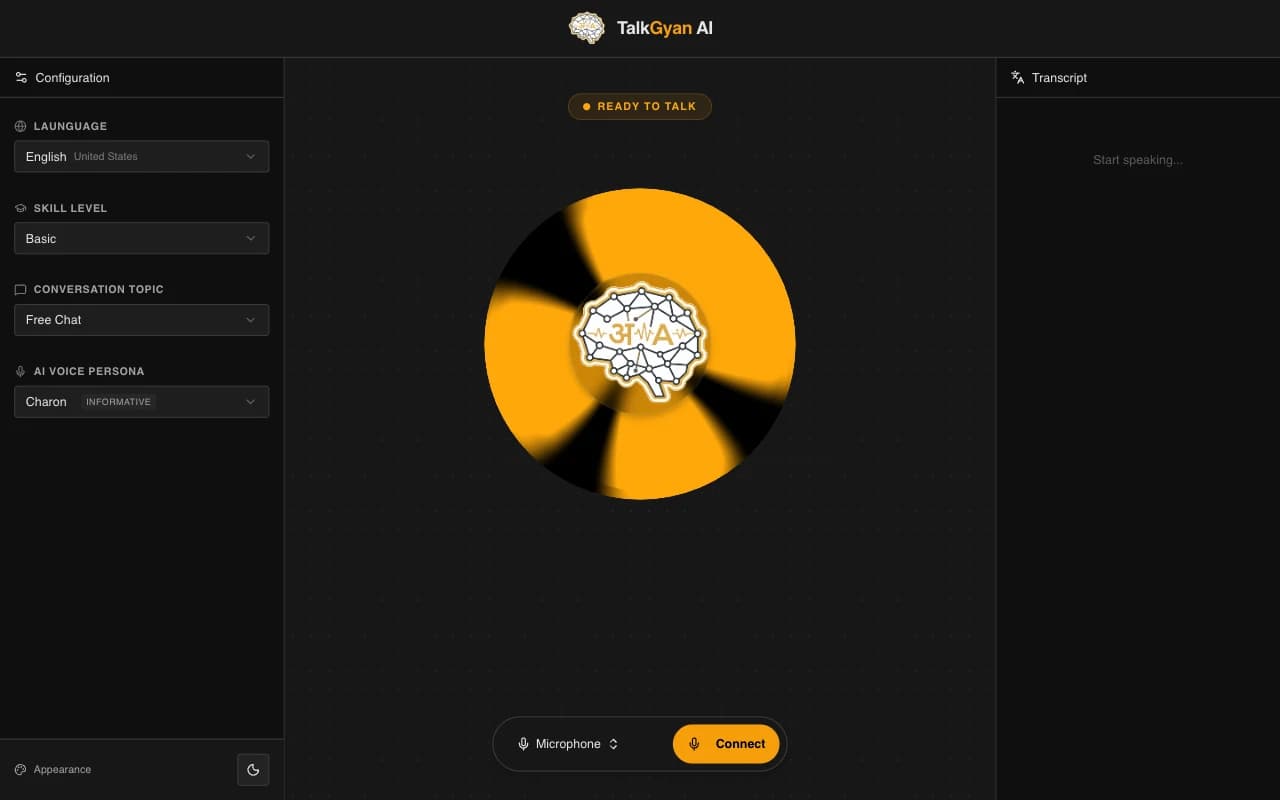
TalkAI — configuration panels, the voice visualization, and live controls
Recorded conversation, replayed
Recorded conversation — replayed
ai¿Qué hiciste este fin de semana?
youFui al cine con mi hermana.
ai¡Qué bien! ¿Qué película viste?
youUna comedia francesa. Me reí mucho.
aiSuena a un buen plan. ¿La recomiendas?

01

Context

TalkAI is a voice conversation app: you pick a language, a skill level, a topic, and an AI persona, then actually talk. The app listens, responds with synthesized speech, and renders the exchange as a living visualization instead of a chat log.

It exists to answer a harder question than 'can a model answer?': can a browser hold a low-latency spoken conversation where the interface keeps up with the audio — levels, turns, and interruptions — without dropping frames?

02

The hard parts

01

A real-time audio pipeline that stays off the main thread

Problem
Driving a visualization from microphone levels on the main thread competes with React renders — the meter stutters exactly when the user is speaking into it.
Decision
Microphone input runs through an AudioWorklet that computes level data off the main thread and posts it at a fixed cadence; the visualization (React Three Fiber) consumes that stream and never touches the raw audio graph.
Tradeoff
The worklet adds a build artifact and a message-passing boundary to debug — level data has to be reduced before it crosses, which means the visualization sees processed levels, not raw samples.
Outcome
The visualization moves with the voice, through model-time pauses and long answers, without stealing render time from the conversation UI.

02

Designing conversation state as a state machine, not a message list

Problem
A spoken conversation isn't a list of bubbles. It has modes — idle, listening, thinking, speaking, interrupted — and every control (mic button, status panel, visualization) needs to agree on which one is active.
Decision
The app treats conversation state as an explicit machine, and every panel subscribes to it: the controls panel can't start a turn mid-speech, the transcript appends by role, and the visualization changes character per mode instead of animating blindly.
Tradeoff
Explicit states mean more edge cases handled in code — barge-in and failure paths need their own transitions — but they removed the class of bugs where two components disagree about whether the mic is live.
Outcome
Interrupting the AI works predictably, and the UI is always telling the truth about what the microphone and the model are doing.

03

What I'd change

Next for TalkAI: barge-in tuning across languages and a session report that shows pronunciation and fluency signals over time — turning a conversation toy into a practice tool.

04

Stack

Next.js · React · TypeScript · React Three Fiber · AudioWorklet · Zustand · Google Gemini · Vercel